Motivation
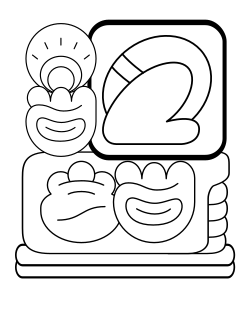
I created Sitelen Sitelen Renderer because I am fascinated by combining the artificial language Toki Pona with the non-linear writing style sitelen sitelen by Jonathan Gabel. While drawing sitelen sitelen by hand is a meditative activity, I was wondering if I could create them algorithmically. My first attempt was in the beginning of 2015 when I experimented with CSS Flexbox using SVG for the Glyphs. The algorithm was limited and doomed, so in October 2015 I started anew and set out to create SVG-only sitelen sitelen that can be exported and reused.
The project had since then been mostly dormant, with only a few minor fixes here and there. Now, in 2025 the project has accumulated so much rust, its codebase is now rewritten in Rust. This Rust rewrite maintains the same visual output and algorithm spirit while providing better performance, type safety, and modern tooling. This is still a hobby project that I work on in my spare time.
Examples
The project includes several example pages demonstrating different use cases:
Interactive input with live preview
Markdown-style editor with live preview
Optimally fills a page with Sitelen Sitelen by trying different layout ratios (experimental)
Overview of Toki Pona proverbs from Sonja's book
Generates a book-like layout of Tatoeba sentences
Writing Tips
- Lowercase text: All Toki Pona text is expected in lower case
-
Sentence endings: All sentences should
end with
.,!,?, or#(for banners). The colon:and,are also recognized as punctuation -
Proper nouns in cartouches: Syllables
appear in cartouches by writing words starting with an
upper case letter:
jan Ponavsjan pona -
Multiple sentences: Multiple sentences
are automatically split by punctuation. Each sentence is
rendered separately unless using
render_sentences() -
Commas: Commas before
laandliare automatically removed, sotenpo, labecomestenpo la - Spacing: Double spaces are automatically normalized to single spaces
-
Context separators: The
laparticle is recognized as a context separator and creates separate sentence parts
Installation
CLI
Install the CLI tool:
cargo install --path sitelen-cliOr build from source:
git clone https://github.com/olafjanssen/sitelen-sitelen-renderer.git
cd sitelen-sitelen-renderer
cargo build --release
The binary will be available at
target/release/sitelen.
WASM
Build the WASM package for browser use:
cd sitelen-wasm
wasm-pack build --target web --out-dir pkg
This creates a pkg directory with the compiled
WebAssembly module and JavaScript bindings.
Usage
CLI
The CLI tool can render Toki Pona text from command-line arguments, files, or stdin:
# Render text directly
sitelen "mi pona. ale li jo e tenpo." --output output.svg

# Render from file
sitelen --input text.txt --output output.png --format png

# Pipe text via stdin
echo "suno li pona." | sitelen --output output.svg

# With custom settings
sitelen --input text.txt --output output.svg --ratio 0.8 --stroke-width 2.0 --shadow

# Multiple sentences are rendered to separate files
sitelen "mi pona. sina pona." --output output.svg
# Creates: output_1.svg, output_2.svg
WASM (JavaScript)
For web integration, use the WASM module:
import init, { render_svg } from './pkg/sitelen_wasm.js';

async function main() {
    await init();  // Initialize the WASM module (required before use)
    const svgString = render_svg("mi pona.", null);
    document.body.innerHTML = svgString;
}

main();
With a specific layout ratio:
await init();
const svgString = render_svg("ale li jo e tenpo. ale li pona.", 1.0);
Auto-rendering
For automatic rendering of elements with the
data-sitelen attribute:
import './auto.js';Then in your HTML:
<section data-sitelen>
    ale li jo e tenpo. ale li pona.
</section>
Available WASM Functions
-
init(): Promise<void>- Initialize the WASM module -
render_svg(text: string, optimal_ratio?: number |
                            null): string
- Render text to SVG string -
render_png(text: string, optimal_ratio?: number |
                            null): Uint8Array
- Render text to PNG bytes -
get_layout_ratios(text: string): string- Get all available layout ratios as JSON array -
render_sentences(text: string, optimal_ratio?:
                            number | null): string
- Render each sentence separately -
init_glyphs(sprite_content: string): void- Initialize with custom glyph sprite
Configuration
The renderer supports various configuration options:
-
optimal_ratio: Preferred aspect ratio (height/width, default: 0.8) -
stroke_width: Stroke width for glyphs (default: 2.0) -
shadow: Enable shadow effects (default: false) -
scale: Base scale for glyphs (default: 1.2) -
scale_skew: Scale skew for container overflow (default: 1.3) -
exportable: Embed glyph definitions in SVG (default: true)
Attribution
This live sitelen sitelen web project is made possible by the great work done before me.
Toki Pona
Toki Pona is an artificial language invented in 2001 by Sonja Lang as an attempt to understand the meaning of life in 120 words. In my own search, I am convinced this language should not be used to translate large bodies of text or as an actual means of communication but as a personal tool for soul searching.
Sitelen Sitelen or Sitelen Suwi
Sitelen Sitelen or Sitelen Suwi is a project created by Jonathan Gabel in 2012 who created a non-linear writing style for Toki Pona inspired by Mayan script. I try to keep the algorithm behind the Sitelen Sitelen Renderer in the spirit of Jonathan's project and allow for the different ways of drawing the sitelen sitelen.
Vectorized Glyphs
The vectorized glyphs are based on the excellent work by jan Same. To make my SVGs scalable I sadly had to get rid of the non-uniform stroke widths. Also I have slightly different ideas about how to use the containers so I took the liberty of slightly altering some glyphs.
Mind that this project is far from complete: many language constructs are not implemented yet. If you want to contribute in any way, you can for instance file issues you find or come up with clever new ways to put sitelen sitelen into action.
Cheers!